Reverse-engineering Halo: Infinite's Theater films
On the week of AI comapnies announcing solutions to Millenium Prize problems, I thought it was time again to attempt an issue of tediousness - reverse engineering the opaque binary mess that is Halo: Infinite’s Theater films with AI.
If you are unaware of what Halo: Infinite is, it’s a multiplayer video game in the Halo franchise. If you are unaware of what Theater is, it’s a feature of Halo that allows you to replay and scrub the timeline of a game you played.
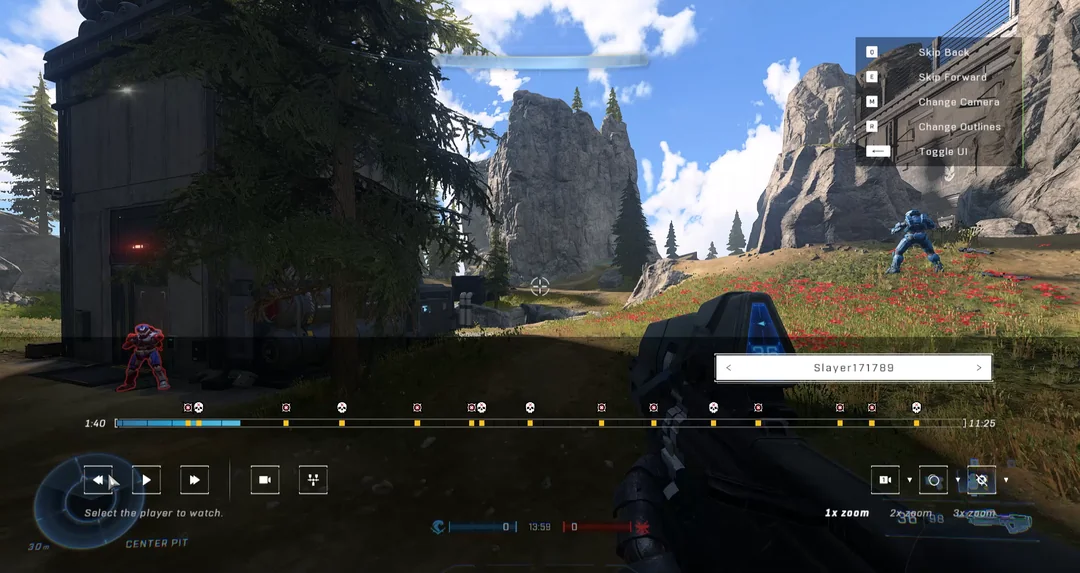
Many smart people have tried decoding Halo Infinite’s film files, including Den, a lead maintainer of Model Context Protocol (MCP) who now works at Anthropic.
Decoded Theater data opens up a few possibilities:
- Train a machine-learning classifier to detect cheating.
- Reconstruct a post-match 3D digital twin of esports gameplay for live events and analysis (Halo Studios, reach out).
- Build heatmaps from death data.
- Train an AI to play Halo Infinite.
Prior Art
I was inspired by Den’s September 2024 investigation into Halo Infinite film files. He showed how to find and download films and extract gamertags, kills, and deaths.
Film files are divided into chunks, and chunks can be of three types: 1, 2, or 3. He was able to decode chunks whose ChunkType equalled 3: Match summary chunks.
I wanted to go further into the state needed to replay a match:
- Time-series player positions
- Time-series player camera pitch and yaw
- Projectiles (e.g. grenades)
- Player shields and health
- Player inputs (e.g. melee, jump)
- Player armor/customization
- Player respawns
The replay below shows how far I got in a weekend. The main contribution is decoding the replication stream; whose ChunkType is now known to be 2. Reconstructing the game’s assets, geometry, and game rules is separate work not covered in this blog.
The Start
Den’s writeup made clear how much intuition this work takes. He recognized 78 5E in a heap of binary as a hint of zlib fast compression. I would have never recognized that. On a good day, I might spot == Base64 padding. This gap was a moment I decided I’d need LLM assistance to get anywhere.
Decompression alone doesn’t turn the film into plain text, but it makes structures such as component names visible. Compare the compressed bytes below with the Decompressed view.
Methodology
My approach was to give GPT-6 Astra a controlled comparison. Each experiment started with two clips:
- Record a control. Start a custom game on an empty Forge plane and do nothing: no movement, aiming, or button presses.
- Record one changed input. Repeat the setup as closely as possible, but perform one action, such as pressing melee once.
Repeating this process gave me a corpus of films, each made to isolate a particular input. I gave Astra the clips and the prior research, then had it probe the binary for patterns, write code to extract them, and test each interpretation against the other recordings.
I asked Astra for two tools to verify its findings: a 3D digital twin and a packet inspector. I had played the clips. I could scrub the replay, check whether the movement and actions matched what I did, and feed specific corrections back to Astra.
The first major breakthrough was the game clock. That let us narrow the search to when I performed an action. Jumping, melee, shooting, grenade throws, and more followed quickly after.
This loop helped me decode movement and combat features from ChunkType 2, the replication stream. The second tool, the packet inspector, let me check what the replay alone couldn’t show: which bytes supported a decoded field and which regions were still unknown.
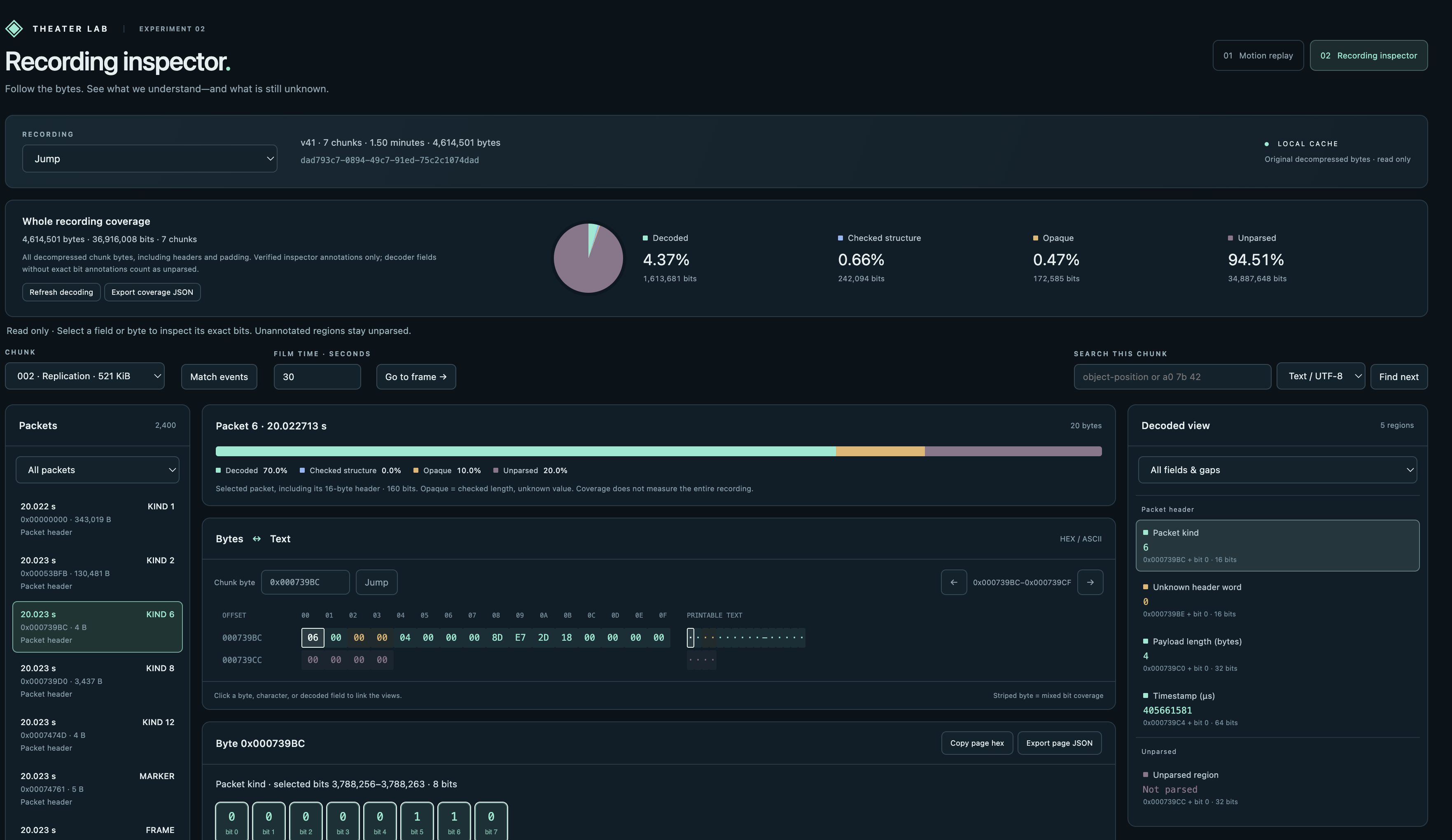
The inspector also tracked how much of each film or packet had been parsed. That measured coverage, not whether every interpretation was correct; the controlled recordings and replay were still needed for that.
Movement input gives a small example of what these comparisons reveal. In the checked keyboard recordings, two 6-bit fields carry these values while the corresponding input is held:
| Input | Forward/backward field | Left/right field |
|---|---|---|
| Neutral | 31 | 31 |
| Forward | 62 | 31 |
| Backward | 0 | 31 |
| Left | 31 | 62 |
| Right | 31 | 0 |
Forward changes 011111 to 111110 in the first field; the second stays neutral. Backward drives that same field to zero, while the left/right controls change the other field. That supports interpreting them as two input axes. Their location shifts with the preceding records, so finding the same byte offset in every packet wouldn’t work.
Advice, if you dare
The most useful constraint was reducing what changed between films.
Timing needed its own control. Theater starts recording before everybody finishes the loading screen, and that wait varies between games. Manually ending a match adds another variable. An instruction like “I pressed melee five seconds in” doesn’t identify a consistent location in two different files. I made a custom game mode that ended automatically after 60 seconds. That gave me a consistent match-end event to work backward from. My button presses still had human timing error, but the clock and consistent ending narrowed the intervals I needed to search.
The next part was understanding where to look. A film manifest lists separately compressed chunks. After zlib decompression, those chunks have three different roles: a component registry, a replication stream, and summary events. Movement and input research centered on the replication stream. I never spent time trying to decode the component registry, but it likely tells the replay system which components belong to each entity type and in what order, helping it interpret the updates in the replication stream.
Below is a look at the high-level structure of films. I am working on upstreaming a parser into my Halo: Infinite Rust API crate, halo_api, and you can follow the progress on my PR.
Each replication packet starts with a 16-byte header containing its type, payload length, timestamp, and two bytes whose meaning is still unknown. The length tells the parser where the next packet begins. Chunk types and packet types are separate: a type-2 chunk contains packets with their own type numbers.
Inside a type-0 packet, the frame data is bit-packed. Updates arrived at roughly 60 Hz in the controlled recordings, but each frame could update a different selection of entity components. Record lengths vary, and a field could start halfway through a byte. A “delta” here means an update to selected state; a position field can still contain coordinate values rather than a numerical difference from the previous position.
What’s Next
I will finish upstreaming a working Halo: Infinite film parser. Once my data parser is complete, I will likely go after map geometry and attempt to make a polished digital twin far better than the vibe-coded toy in this blog’s demos. At the time of writing, there appears to be prior art done in Ekur, an open-source Blender importer for Spartans and Forge objects, with experimental support for Forge maps and built-in multiplayer levels. That gives us a route to the actual assets. The integration work is to use the correct map revision, object placements, scale, and coordinate system, then apply the recorded movement and aim.